





Removing a secondary domain is easy. You should back up your account before doing this.
1. Log in to your SiteWorx account.
2. In the Domains section, click on Manage.
3. Select the secondary domain you want to remove and choose Delete from the drop-down menu.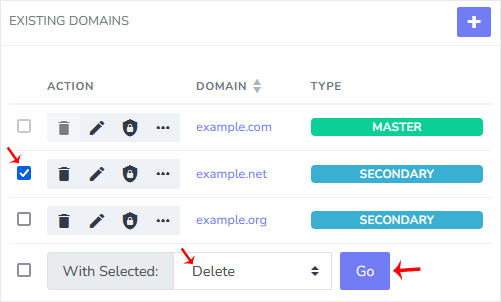
4. Click Go and confirm with Delete.
You should see a success message that your domain has been removed.